Sık Sorulan Sorular
WEB
(1) Visit the CoinW official website and log in.
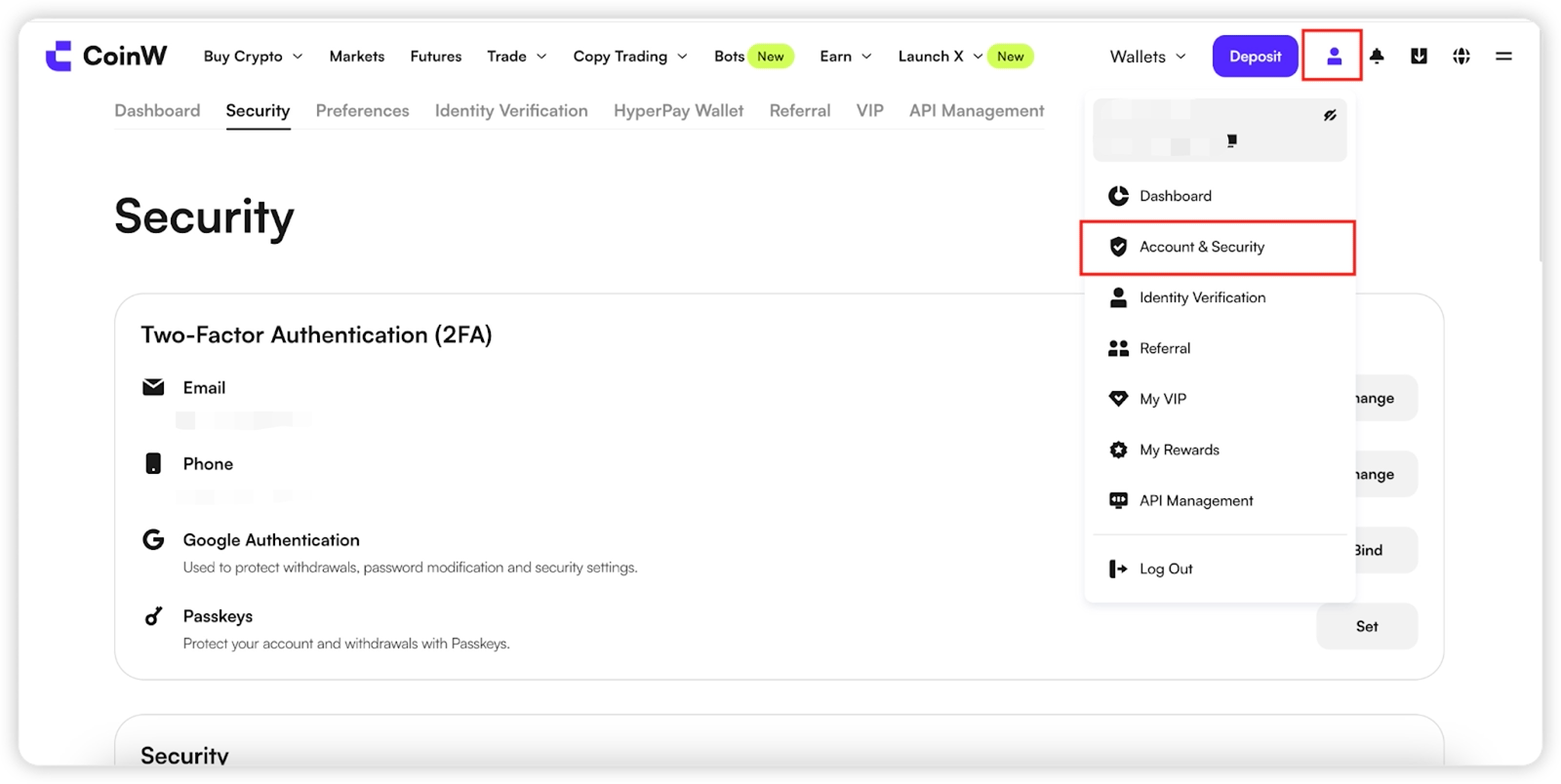
(2) Click the user icon in the upper-right corner and select Account & Security.
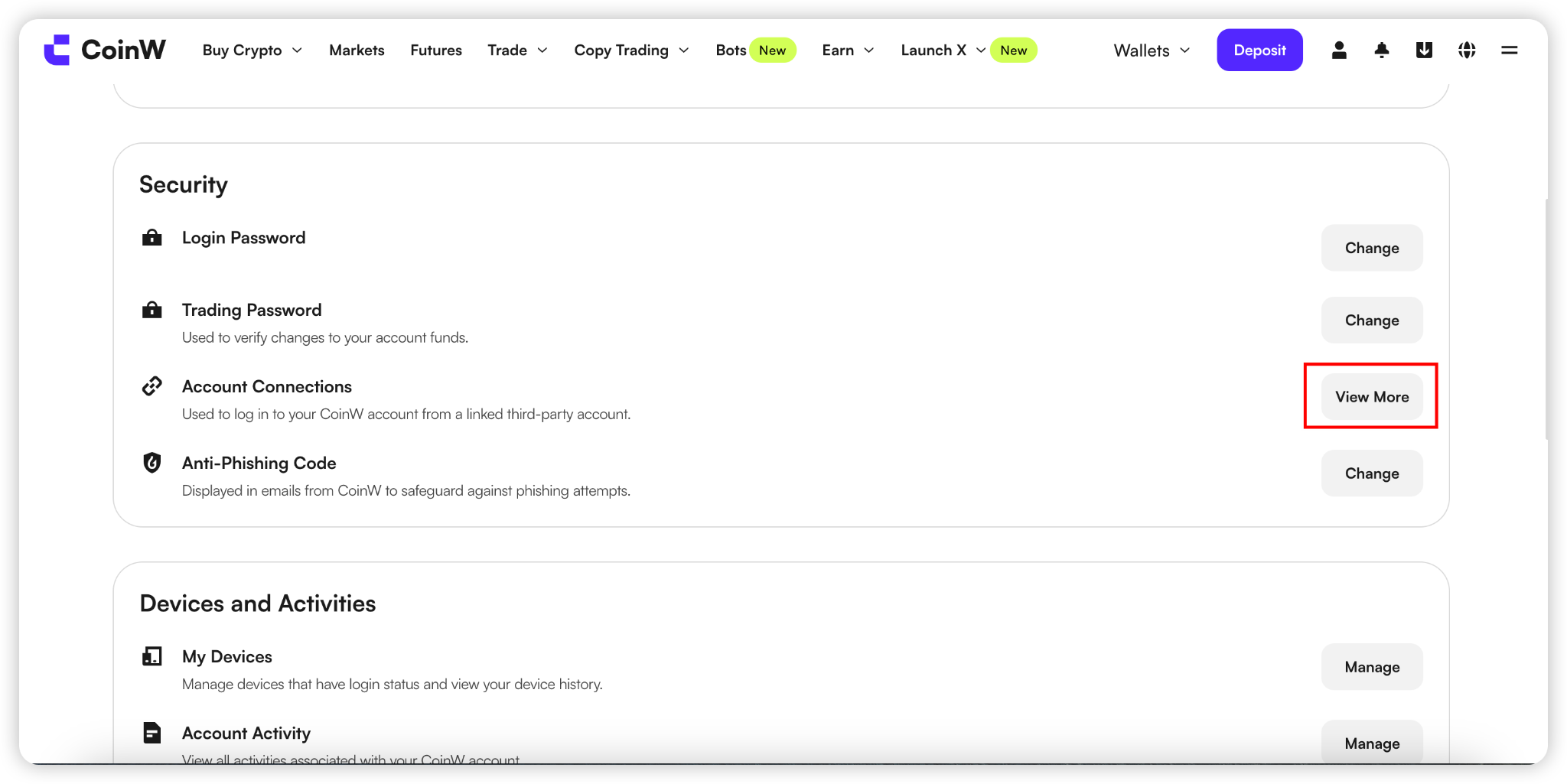
(3) Scroll down to the Security section and click the "Connections" button next to Account Connections.;
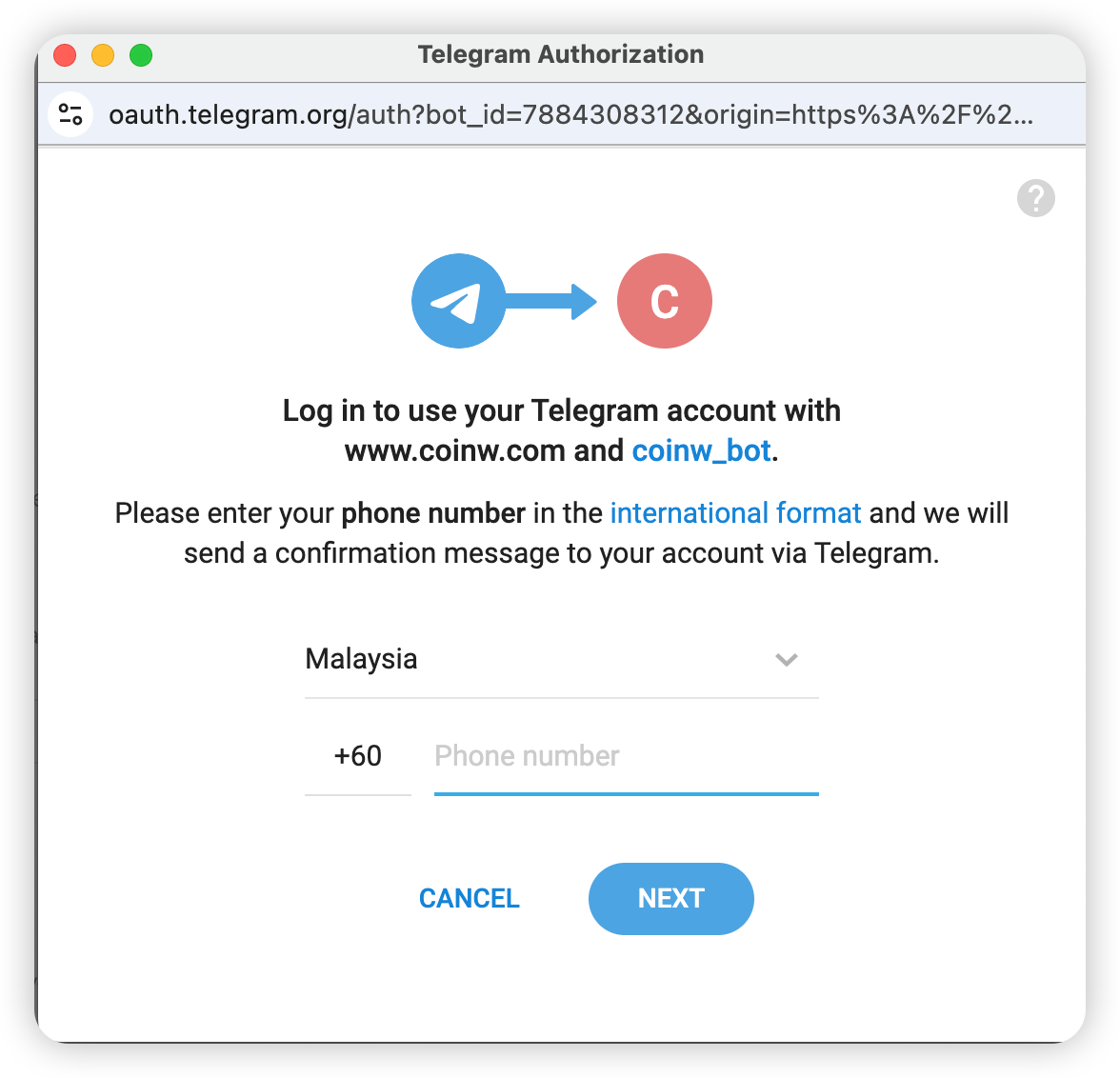
(4) Select the account you want to link (Google, Telegram, or Apple ID) and click the "Bind" button next to it.
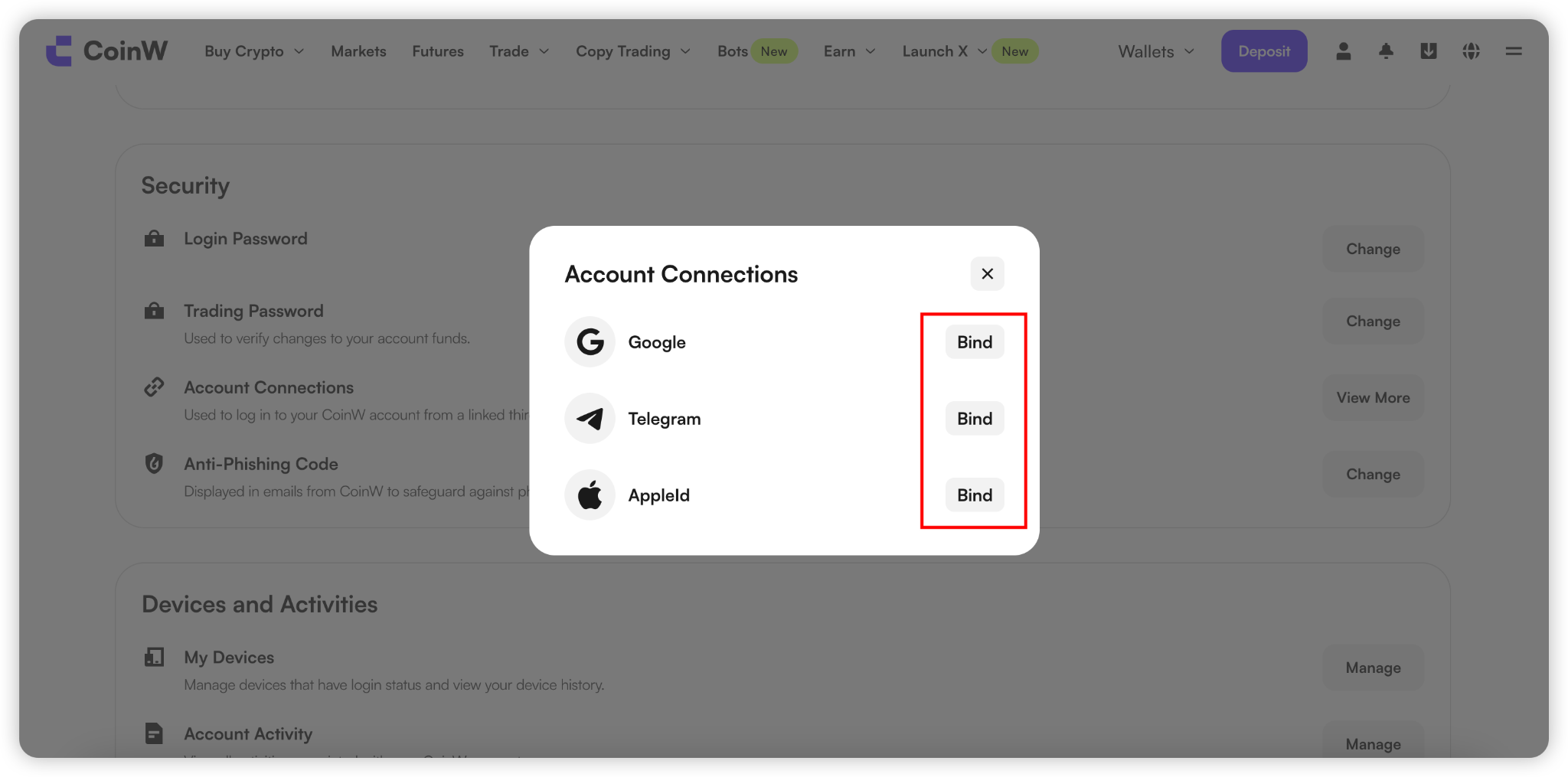
(5) Taking Telegram as an example, after clicking "Bind", you will be automatically redirected to the Telegram login page.
Simply log in to your Telegram account to complete the binding process.
APP
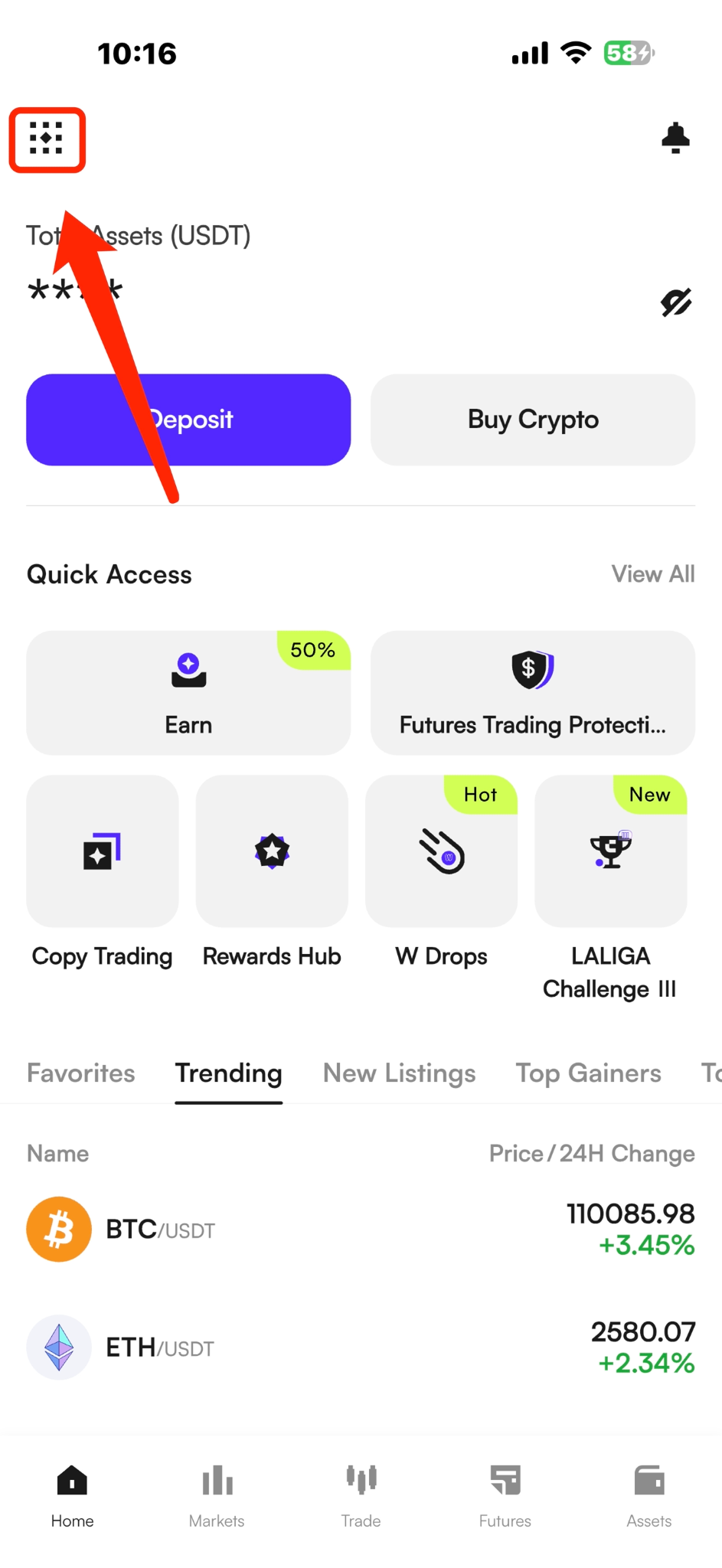
(1) Open the CoinW App and go to the home screen.
(2) Tap the profile icon in the top-left corner to enter Personal Center.
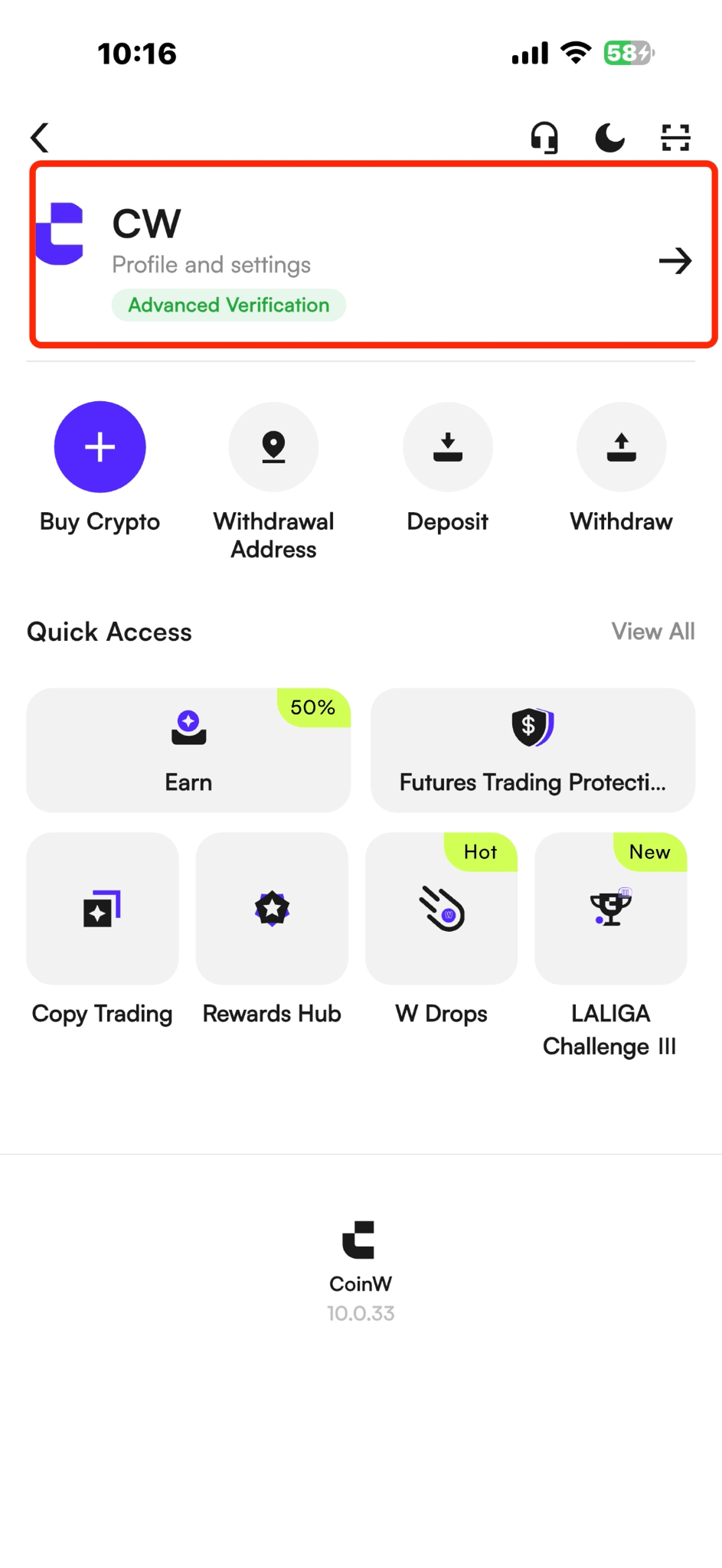
(3) In Personal Center, tap Profile & Settings.
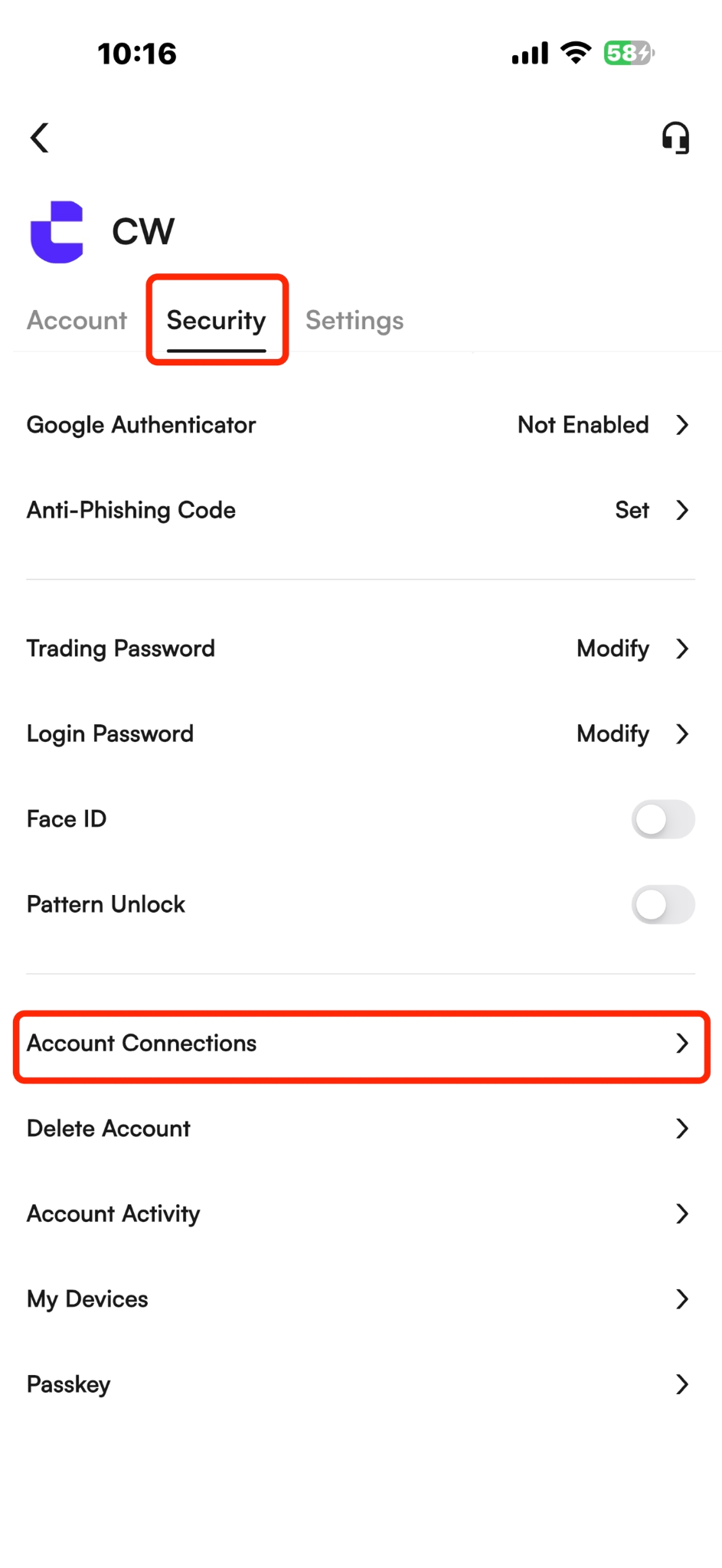
(4) After selecting Security, click the Account Connections button.
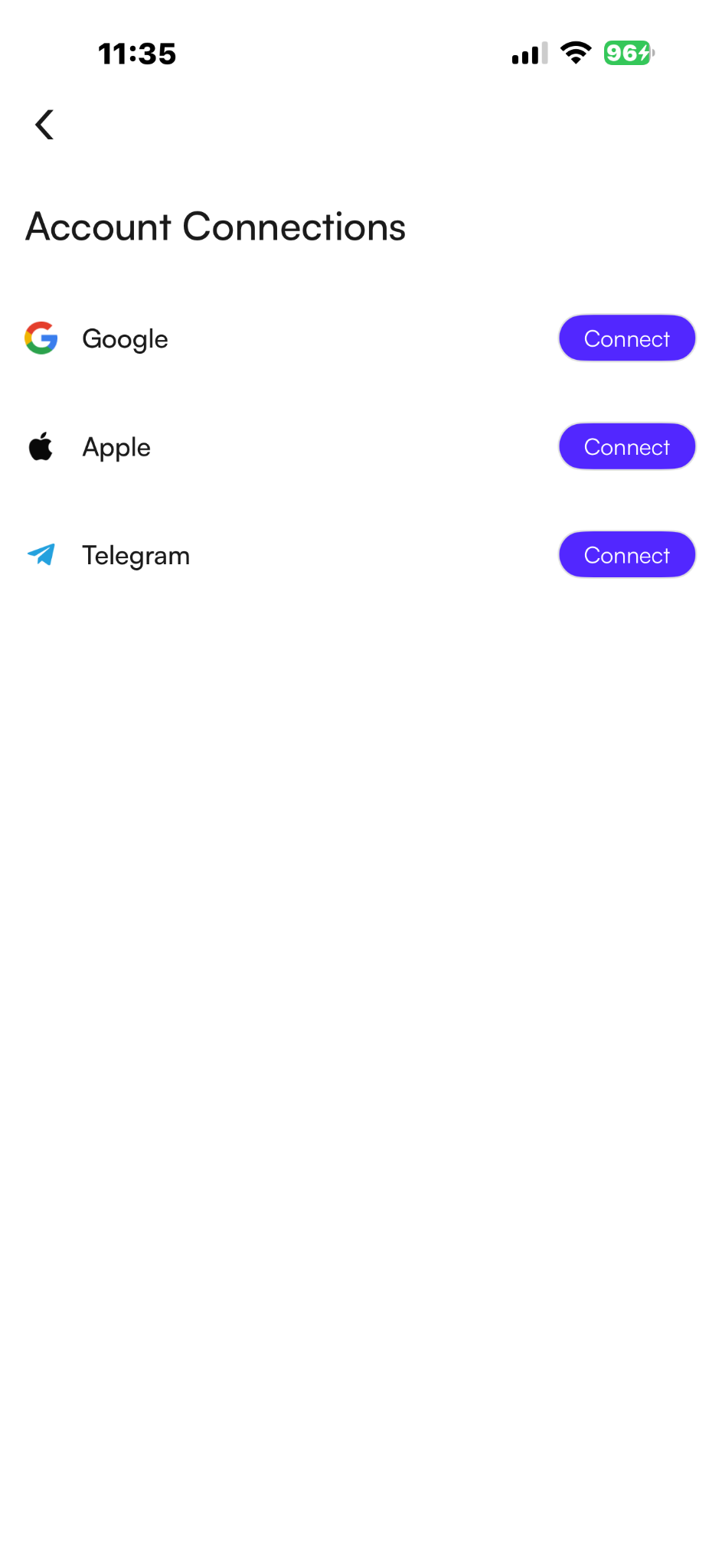
(5) Select the account you want to link (Google, Telegram, or Apple ID) and click the "Connect" button next to it.
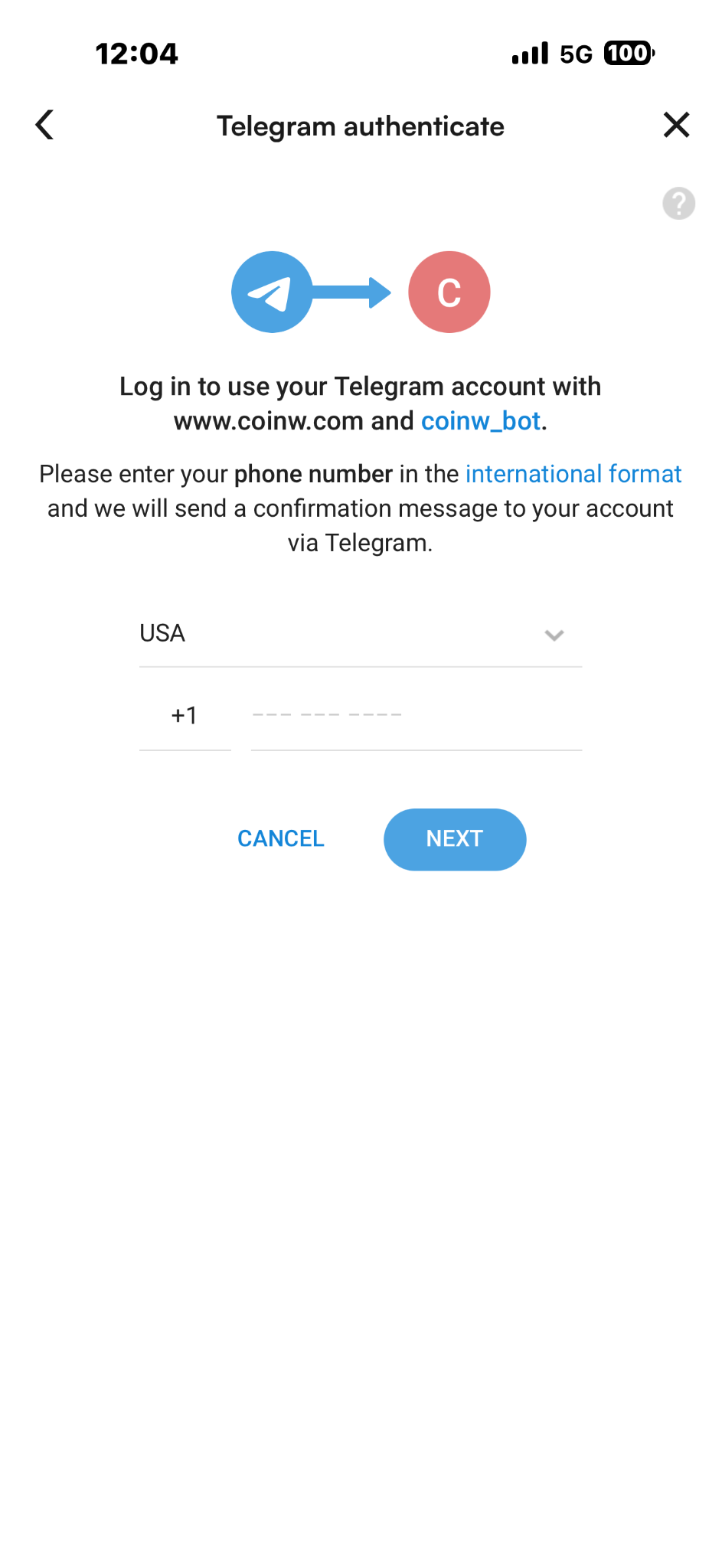
(6) Taking Telegram as an example, after clicking "Bind", you will be automatically redirected to the Telegram login page.
Simply log in to your Telegram account to complete the binding process.
WEB
(1) Visit the CoinW official website and log in.
(2) Click the user icon in the upper-right corner and select Account & Security.
(3) Scroll down to the Security section and click the "Connections" button next to Account Connections.;
(4) Select the account you want to link (Google, Telegram, or Apple ID) and click the "Bind" button next to it.
(5) Taking Telegram as an example, after clicking "Bind", you will be automatically redirected to the Telegram login page.
Simply log in to your Telegram account to complete the binding process.
APP
(1) Open the CoinW App and go to the home screen.
(2) Tap the profile icon in the top-left corner to enter Personal Center.
(3) In Personal Center, tap Profile & Settings.
(4) After selecting Security, click the Account Connections button.
(5) Select the account you want to link (Google, Telegram, or Apple ID) and click the "Connect" button next to it.
(6) Taking Telegram as an example, after clicking "Bind", you will be automatically redirected to the Telegram login page.
Simply log in to your Telegram account to complete the binding process.